
Independent comparison · Some links are affiliate links

Trustpilot and pricing data checked August 27, 2026

Beginner-friendly AI website builders for 2026

Best AI Website Builder for Beginners: Top 4 for 2026

Looking for the best AI website builder for beginners? We compare four approachable platforms that can help first-time users create, edit, and publish a website without coding. The ranking focuses on beginner-friendly setup, AI guidance, editing simplicity, pricing, support, and how easy each platform is to grow into after your first site goes live.

  • Beginner-focused ranking
  • No coding required
  • Expandable full reviews
1
Beginner-focused ranking

The order prioritizes how approachable each builder is for someone creating a website for the first time.

2
Ease matters most

We consider onboarding, AI guidance, editing simplicity, publishing, pricing, and how much technical knowledge is required.

3
Room to grow

A good beginner builder should be easy on day one while still offering useful features as your website becomes more advanced.

Easy AI website builders for first-time users

4 Best AI Website Builders for Beginners in 2026

The best AI website builder for beginners should make the first website feel manageable from setup to publishing. Compare one.com, Design.com, Dorik, and Lovable by beginner fit, ease of use, starting price, features, and public customer ratings.

Platform snapshot: Company age and public reach figures use company statements or established profiles. Monthly visits are third-party estimates from the latest publicly available month checked August 27, 2026 and should be treated as directional.

Showing beginner-friendly ranking.

Rank1

one.com

Best for: Complete beginners who want guided AI chat and an all-in-one setup

The easiest guided AI website builder for first-time users

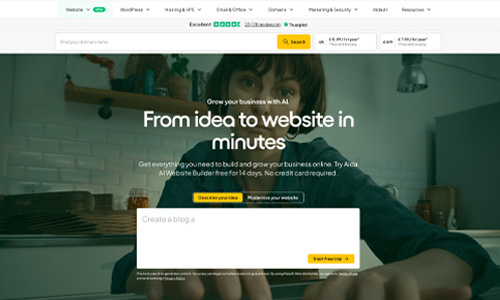
one.com’s Aida AI Website Builder is designed around simple conversation instead of complicated website settings. A beginner can describe a business or project in everyday language, let Aida generate a website, and then request changes to text, sections, colours, and layout through chat. Manual visual editing is also available for smaller adjustments, while hosting and publishing are handled inside the same platform. For someone building a first website and wanting as little technical setup as possible, that guided workflow makes one.com our top beginner pick.
Founded2002
Free trial14 days
Public reviews24,946
Support24/7

Why it is beginner-friendly: Aida removes much of the setup work by letting users describe what they want in normal language, review the result, make changes through chat, and publish from the same platform.

Independent score
8.6/10
★★★★★★★★★★Trustpilot 4.4/5 · 24,946 reviews
Ease of use9.4/10Editorial score
Features & versatility9.3/10Editorial score
Visit one.com Official website
Read full reviewClose full review

Full one.com review for beginners

one.com is our top choice for beginners because Aida turns website creation into a guided conversation. You can start from an example, describe your own idea, or modernize an existing website, and the AI prepares a complete starting point without requiring coding or design experience. Beginners can continue editing by asking for changes in plain language or switch to the visual editor for direct adjustments. The platform also keeps hosting and publishing together, which reduces the number of separate services a first-time site owner has to manage. The main tradeoff is that Aida is still a newer product, so some capabilities continue to evolve and users with highly specialized requirements may eventually want more advanced control.

✓ Pros
  • Conversational setup with no coding or design experience required
  • AI guidance helps beginners decide what to change next
  • Visual editor for simple manual adjustments
  • Hosting and publishing are handled in the same platform
− Cons
  • Aida is newer than many traditional website builders
  • Some advanced capabilities are still evolving
  • Users wanting deep developer control may eventually outgrow the workflow
#2 ranked
Rank2

Design.com

Best for: Beginners who want a polished website and matching brand assets

Beginner-friendly AI website generation with simple visual editing

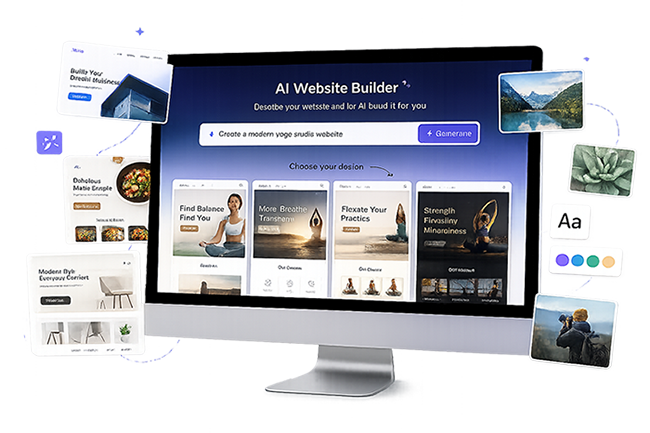
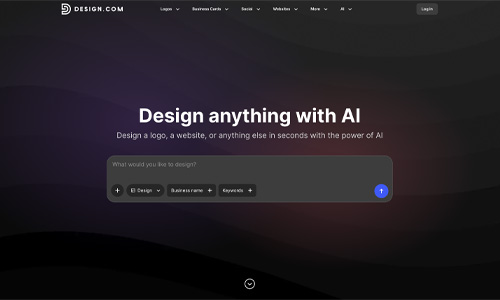
Design.com gives beginners a straightforward way to move from a business name or short prompt to a polished website design. The AI can generate multiple website options quickly, after which users can customize text, images, fonts, colours, layouts, and pages with an approachable editor. Its biggest beginner advantage is that website creation sits alongside logo, brand-kit, social graphic, and marketing tools, so a new business can build a consistent visual identity without learning several separate platforms. It is best suited to standard business, portfolio, and service websites rather than complex web applications.

Est. monthly visits4.53M
Website templates3,000+
Creative tools50+
Public reviews4,489

Why it is beginner-friendly: You can start with only a business name or a short prompt, choose from AI-generated designs, make visual edits, and keep your website and branding in one place.

Independent score
9.1/10
★★★★★★★★★★Trustpilot 4.7/5 · 4,489 reviews
Ease of use8.5/10Editorial score
Features & versatility8.4/10Editorial score
Visit Design.com Official website
Read full reviewClose full review

Full Design.com review for beginners

Design.com is a strong beginner option for users who care about getting a professional look without becoming a designer. The platform can generate complete website options from a business name or prompt, then lets you customize the result using simple visual controls. Because Design.com also includes logos, brand kits, business cards, and social media assets, beginners can keep colours, fonts, and visual identity consistent across a new website and marketing materials. The workflow is easy to understand and offers plenty of design choice. Its limitation is scope: it is a better fit for conventional websites and brand-focused projects than for highly customized applications or developer-heavy workflows.

✓ Pros
  • AI can generate a website from a business name or short prompt
  • Simple editing for fonts, colours, layouts, text, and images
  • Large template library gives beginners many starting points
  • Website and branding tools are available in one platform
− Cons
  • Less suited to complex web applications
  • Limited code-level control compared with developer-oriented builders
  • Large design choice can take time to narrow down
Rank3

Dorik

Best for: Beginners who want AI generation plus an easy no-code editor

Simple AI site generation with drag-and-drop control as you learn

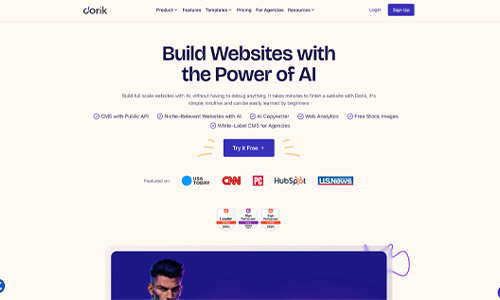
Dorik combines one-prompt AI website generation with a visual no-code editor that is easy for beginners to learn. A first-time user can describe a website, receive a complete multi-page starting point, and then adjust sections with drag-and-drop tools instead of code. Templates, hosting, forms, CMS features, blogging tools, and SEO controls give beginners room to grow after the first version is online. Dorik requires a little more hands-on editing than one.com’s chat-first approach, but that can be useful for beginners who want to gradually learn how websites are structured.

Free planAvailable
AI site generationIncluded
Public reviews2
Code exportPaid plans

Why it is beginner-friendly: Dorik can generate the first version from a simple prompt, then lets beginners learn through visual drag-and-drop editing without needing to touch code.

Independent score
8.6/10
★★★★★★★★★★Trustpilot 3.8/5 · 2 reviews
Ease of use8.8/10Editorial score
Features & versatility8.0/10Editorial score
Visit Dorik Official website
Read full reviewClose full review

Full Dorik review for beginners

Dorik is a practical choice for beginners who want AI to create the first version of a website but still want a traditional visual editor for later changes. Its AI website generator can build complete multi-page sites from a short description, while the no-code editor, templates, and prebuilt UI blocks make manual customization approachable. The platform also includes hosting, forms, CMS collections, blogging, and SEO tools, so beginners do not have to migrate immediately as their needs expand. Compared with a chat-first builder, Dorik exposes more website-building controls, which creates a slightly larger learning curve but also gives new users useful experience and flexibility.

✓ Pros
  • Generates complete websites from a simple prompt
  • Drag-and-drop no-code editor is suitable for beginners
  • Templates and prebuilt blocks simplify customization
  • CMS, blogging, forms, hosting, and SEO tools provide room to grow
− Cons
  • More settings to learn than a purely conversational builder
  • Some advanced AI and code features require paid plans
  • Public Trustpilot review sample is very small
#4 ranked
Rank4

Lovable

Best for: Beginners who want conversational building with room for advanced customization

Natural-language website building for beginners who want more flexibility

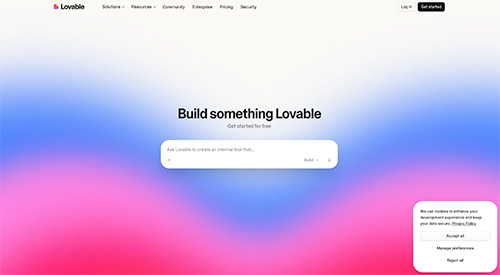
Lovable lets beginners create a website by describing what they want in plain language, then refine the result through follow-up prompts or direct visual edits. No coding experience is required to get started, and publishing, hosting, custom-domain support on paid plans, and integrations are built into the workflow. Its advantage is flexibility: a beginner can start with a simple site and later add forms, payments, databases, authentication, or more advanced functionality. That power also makes Lovable less guided than the simplest website builders, and larger projects can require clearer prompts, careful testing, and attention to AI credit usage.

LaunchedNov 2024
Projects created60M+
Public reviews1,559
App visits / mo900M+

Why it is beginner-friendly: Lovable can turn a plain-language description into a working website, while chat-based changes and visual editing let non-technical users keep improving it without writing code.

Independent score
9.3/10
★★★★★★★★★★Trustpilot 4.1/5 · 1,559 reviews
Ease of use9.2/10Editorial score
Features & versatility9.6/10Editorial score
Visit Lovable Official website
Read full reviewClose full review

Full Lovable review for beginners

Lovable is beginner-friendly in a different way from traditional template builders. Instead of learning a large editing interface first, you describe the website you want in natural language and let the AI create a working version. You can continue refining layouts, copy, and functionality through conversation or use visual editing for direct changes. This makes Lovable accessible to non-technical users while also giving them an unusually high ceiling: projects can later include forms, payments, integrations, databases, authentication, and GitHub synchronization. The tradeoff is that more ambitious projects depend on prompt clarity and testing, and the credit-based AI workflow can be less predictable than a fixed visual editor for complete beginners.

✓ Pros
  • Builds websites from plain-language instructions
  • No coding experience is required to get started
  • Chat and visual editing provide two ways to make changes
  • Advanced features are available if a beginner later needs more capability
− Cons
  • Less guided than a step-by-step beginner website builder
  • Complex projects can require careful prompting and testing
  • AI credit usage can be harder for beginners to predict

Beginner-friendly comparison

Best AI Website Builder for Beginners: Side-by-Side

Compare the four best AI website builders for beginners by beginner fit, starting price, ease of use, features, Trustpilot rating, and independent overall score. Use the table with the reviews above to decide which learning style and website workflow suit you best.

Builder Best for Starting price Ease of use Features & versatility Trustpilot Overall score Details
#1 one.com Complete beginners who want guided AI chat and an all-in-one setup Free to try 9.4/10 9.3/10 4.4/5 8.6/10 Review
#2 Design.com Beginners who want a polished website and matching brand assets Free 8.5/10 8.4/10 4.7/5 9.1/10 Review
#3 Dorik Beginners who want AI generation plus an easy no-code editor Free 8.8/10 8.0/10 3.8/5 8.6/10 Review
#4 Lovable Beginners who want conversational building with room for advanced customization Free 9.2/10 9.6/10 4.1/5 9.3/10 Review

Choosing your first AI website builder

How to Choose the Best AI Website Builder for Beginners

For a first website, prioritize a simple setup and editing experience before advanced features you may never use.

01

Easy setup and AI guidance

The best AI website builder for beginners should help you get from an idea to a usable first draft without technical setup. Look for guided questions, plain-language prompts, useful starting designs, and clear suggestions for what to do next.

02

Simple editing without code

Your first builder should make everyday changes easy. Compare chat-based editing, drag-and-drop controls, visual editors, templates, undo tools, and preview options so you can confidently update text, images, sections, colours, and pages.

03

Publishing, support, and room to grow

Check how domains, hosting, SSL, support, SEO settings, forms, analytics, and pricing work before you commit. A beginner-friendly platform should be simple now but flexible enough to support new pages, marketing tools, or business features later.

Frequently asked questions

AI Website Builder for Beginners FAQ

What is the best AI website builder for beginners?

one.com ranks first in this beginner-focused comparison because its Aida AI Website Builder lets users create and edit a site through simple conversation without coding or design experience. Design.com is another strong choice for beginners who want AI website generation plus simple branding tools.

Which AI website builder is easiest for a complete beginner?

one.com is the easiest starting point in this comparison for users who want guided conversational website creation. Design.com is also very approachable because beginners can start with a business name or prompt, choose an AI-generated design, and edit it with a simple visual interface.

Can a beginner build a website with AI without coding?

Yes. All four builders in this comparison can be used without writing code. one.com, Design.com, Dorik, and Lovable all provide AI-assisted or no-code workflows that let beginners create and edit websites visually or through natural-language instructions.

Is Lovable good for beginners?

Lovable can work well for beginners because websites can be created and refined through natural-language chat and visual editing. It is especially useful for beginners who want more customization or may later add advanced features, although larger projects can require clearer prompts and more testing.

Is Dorik good for beginners?

Dorik is a beginner-friendly no-code option with AI site generation, templates, drag-and-drop editing, hosting, and SEO tools. It is a good fit for users who want an easy start while still having more manual control as they become comfortable with website building.

What should beginners look for in an AI website builder?

Beginners should prioritize a simple onboarding flow, clear editing tools, reliable hosting, easy publishing, useful support, transparent pricing, and enough flexibility to make changes later. The best choice is the builder that minimizes setup friction without limiting the type of website you plan to create.

Data disclosure: Trustpilot scores, displayed review counts, and starting prices were checked on August 27, 2026 and may change. The beginner-focused ranking is editorial and prioritizes onboarding simplicity, AI guidance, ease of editing, publishing, support, and how much technical knowledge a first-time user needs. The separate independent overall score shown on each card continues to give equal 25% weight to ease of use, features and versatility, Trustpilot, and price. Ease-of-use and features-and-versatility scores are editorial estimates.