
Independent comparison · Some links are affiliate links

Trustpilot ratings and listed prices checked September 21, 2026

2026 AI website builder comparison

Best AI Website Builder 2026: Top 10 Compared

Our 2026 AI website builder comparison reviews ten leading AI website and app builders using an independent overall score based on ease of use, features and versatility, Trustpilot ratings, and starting price. Open any ranking card for detailed AI website builder reviews covering pros, cons, pricing, and ideal use cases.

  • Transparent four-factor score
  • Expandable full reviews
  • Official website links
1
Independent overall score

Each platform receives a score out of 10 using four equally weighted factors.

2
Four equal factors

Ease of use, features and versatility, Trustpilot, and price each contribute 25%.

3
Fit still matters

A lower-ranked platform may be better for a specialized workflow or application.

Build your website with AI

10 Best AI Website Builders for 2026

Looking for the best website builder with AI? Compare each platform by its independent overall score, starting price, ease of use, features and versatility, and Trustpilot rating. Select “Read full review” for detailed advantages, limitations, and ideal use cases.

Showing overall score ranking.

#1 ranked
Rank1

Conversational AI website building with editable code and simple publishing

Lovable lets users describe a website in natural language and generates a working starting point that can be refined through follow-up prompts. It is well suited to users who want to create polished websites and interactive site experiences without starting from code. Projects remain editable, can synchronize with GitHub, and include built-in deployment for faster publishing. Optional database, authentication, and integration tools are available when a website needs more advanced functionality, but they do not need to be the focus of a standard site build. Credit usage can still be difficult to predict.
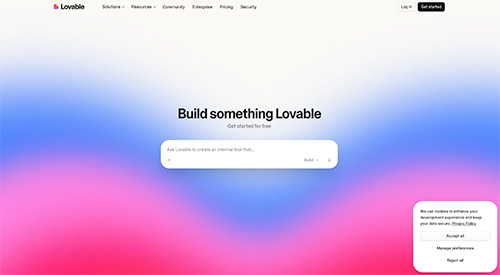
Lovable website screenshotWhy it deserves a closer look: Its conversational website workflow, editable code, GitHub synchronization, and built-in publishing provide more control than a typical closed builder while keeping the initial site-creation process approachable.

Independent score
9.3/10
★★★★★★★★★★Trustpilot 4.1/5 · 1,706 reviews
Ease of use9.2/10Editorial score
Features & versatility9.6/10Editorial score
Visit Lovable Official website
Read full reviewClose full review

Full Lovable review

Lovable works well as a conversational website builder for users who want more freedom than a traditional template-based platform. A user can describe a website in plain language, generate a working version, and continue refining its interface and functionality through follow-up instructions. Built-in deployment supports quick publishing, while editable code and GitHub synchronization provide a path to deeper customization. Database, authentication, and integration tools remain available when a website requires more advanced features, but they are optional for simpler projects. The main limitations are its credit-based usage model, the need to test complex generated functionality carefully, and the fact that custom domains require a paid plan.

✓ Pros
  • Builds websites from natural-language prompts
  • Editable code with GitHub synchronization
  • Built-in publishing with optional advanced tools
  • Free plan for testing and early projects
− Cons
  • Credit usage can be difficult to predict
  • Complex website features still require careful testing
  • Custom domains require a paid plan
#2 ranked
Rank2

AI website creation connected to a full branding suite

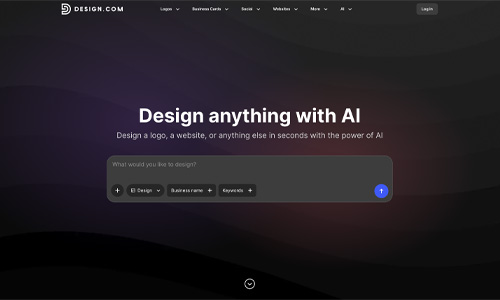
Design.com combines prompt-based website generation with a large template library, built-in hosting, custom domains, and tools for logos, social graphics, and other marketing assets. It is a strong choice for small businesses that want to create a website and coordinated visual identity in one place. Users can quickly establish consistent colors, fonts, and branding across their materials. The main appeal is convenience, although complex applications and highly customized development may require a more advanced platform.

Design.com website screenshotWhy it deserves a closer look: Its strongest advantage is the ability to build a website and a coordinated brand identity in one workflow, which can save small businesses considerable setup time.

Independent score
9.1/10
★★★★★★★★★★Trustpilot 4.7/5 · 4,546 reviews
Ease of use8.5/10Editorial score
Features & versatility8.4/10Editorial score
Visit Design.com Official website
Read full reviewClose full review

Full Design.com review

Design.com is a strong fit when the website is only one part of a broader branding project. The AI builder can generate a responsive starting point quickly, and users can then adjust fonts, colors, layouts, spacing, and visual elements in the editor. Its template library and matching brand tools make it practical for small companies, portfolios, and service businesses that need a consistent look. It is less compelling for complex applications or highly customized development workflows, and users should review premium asset and subscription terms before committing.

✓ Pros
  • AI website and branding tools together
  • Large design and template library
  • Built-in hosting and custom-domain support
  • Approachable editor for beginners
− Cons
  • Not intended for complex web applications
  • Advanced code-level control is limited
  • Pricing can vary across premium assets
#3 ranked
Rank3

Fast full-stack generation with built-in application services

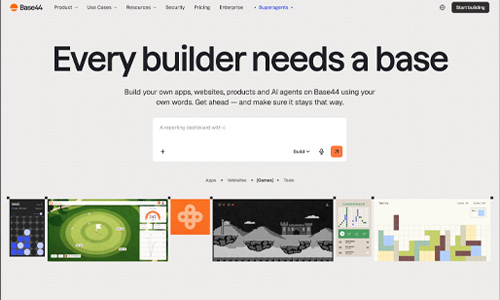
Base44 turns natural-language instructions into full-stack applications with pages, business logic, databases, authentication, integrations, and deployment. It can accelerate prototypes, internal tools, portals, and early product concepts by reducing manual setup. Its integrated services make experimentation fast, but complex applications still need careful testing, debugging, security review, and performance checks. Its public customer rating is among the lowest here, so support, pricing, export options, and long-term ownership should be evaluated.

Base44 website screenshotWhy it deserves a closer look: The low Trustpilot rating warrants caution, but its ability to generate databases, authentication, logic, and integrations from plain-language instructions can still be valuable for carefully tested prototypes and internal tools.

Independent score
8.8/10
★★★★★★★★★★Trustpilot 2.8/5 · 890 reviews
Ease of use9.7/10Editorial score
Features & versatility9.8/10Editorial score
Visit Base44 Official website
Read full reviewClose full review

Full Base44 review

Base44 removes much of the initial infrastructure work involved in creating an application. A prompt can generate the interface, database structure, backend logic, authentication, and common integrations, after which users continue refining the project through AI chat, direct editing, or code. This can be productive for dashboards, portals, workflow tools, and early SaaS versions. The main risk is that repeated AI changes can introduce difficult bugs or consume substantial credits, and the low Trustpilot score reflects significant concerns about reliability, billing, support, and project recovery. Important applications should be tested, backed up, and reviewed carefully before production use.

✓ Pros
  • Built-in backend, database, and authentication
  • Fast route to functional prototypes
  • AI chat, direct editing, and code options
  • Integrations and deployment included
− Cons
  • Low Trustpilot rating in this list
  • Repeated AI changes can introduce bugs
  • Credits and recovery issues require caution
Rank4

Conversational AI website building with hosting and business tools included

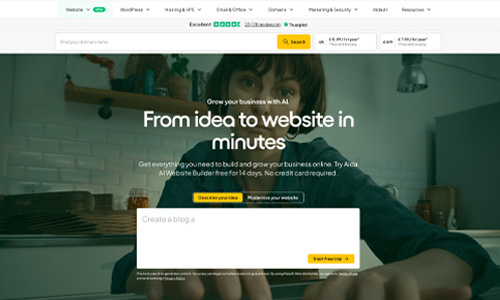
one.com’s Aida AI Website Builder creates complete business websites through a chat-based workflow rather than a traditional template-first process. Users can generate pages, edit content, redesign an existing site, and manage features through conversation. Hosting, a first-year domain, professional email, SSL, booking tools, and ecommerce options are available within the same platform. The experience is approachable for non-technical owners, although the product is newer and its entry price is higher than several budget competitors.

one.com website screenshotWhy it deserves a closer look: Aida lets users build, redesign, and manage a business website through conversation while keeping hosting, domain, email, bookings, ecommerce, and human support under one provider.

Independent score
8.6/10
★★★★★★★★★★Trustpilot 4.4/5 · 25,170 reviews
Ease of use9.4/10Editorial score
Features & versatility9.3/10Editorial score
Visit one.com Official website
Read full reviewClose full review

Full one.com review

one.com’s Aida AI Website Builder focuses on conversational website creation for non-technical business owners. A user can describe a business, generate a complete site, refine the design and text through chat, or provide an existing URL for an AI-assisted redesign. The platform also brings hosting, a domain, professional email, SSL, bookings, ecommerce, and 24/7 human support into the same environment. That all-in-one approach reduces setup friction, but Aida is still a newer product, pricing varies by region, and users who need extensive developer controls or a large third-party app ecosystem may prefer a more open platform.

✓ Pros
  • Build and edit a website through AI chat
  • Hosting, domain, email, and SSL are integrated
  • Booking and ecommerce options are available
  • Large Trustpilot review base and 24/7 support
− Cons
  • Newer AI builder with a shorter product track record
  • Entry price is higher than some budget competitors
  • Less developer-oriented than open platforms
Rank5

No-code AI website generation with CMS, SEO controls, and code export

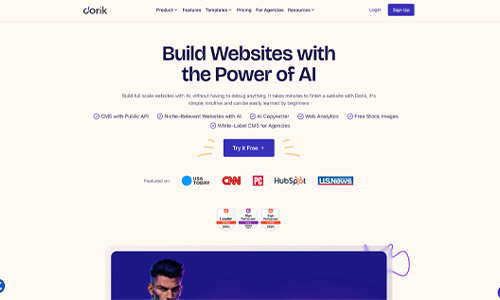
Dorik combines AI website generation with a visual no-code editor, responsive templates, CMS collections, blogging tools, SEO controls, custom domains, and hosting. It is a practical choice for freelancers, creators, and small businesses that want to launch a polished site without coding while keeping useful content-management options. A free plan makes it easy to test the platform, while paid plans add advanced AI features, custom code, and code export. Its public Trustpilot sample is currently very small, so that rating should be interpreted cautiously.

Dorik website screenshotWhy it deserves a closer look: Dorik offers a straightforward AI-assisted site builder with strong no-code controls, CMS features, SEO settings, and a free entry point for testing the platform before upgrading.

Independent score
8.6/10
★★★★★★★★★★Trustpilot 3.8/5 · 2 reviews
Ease of use8.8/10Editorial score
Features & versatility8.0/10Editorial score
Visit Dorik Official website
Read full reviewClose full review

Full Dorik review

Dorik focuses on fast website creation without requiring code. Its AI site generator can create a starting point from a prompt, while the visual builder lets users refine layouts, typography, sections, and content manually. The platform also includes blogging and CMS tools, SEO controls, hosting, custom-domain support, forms, and integrations. Paid plans expand the AI toolkit and add options such as custom code and code export, which can make Dorik appealing to freelancers and agencies that want more flexibility than a basic closed website builder. The main limitation for this ranking is the very small number of public Trustpilot reviews, which makes its customer-rating signal less representative than platforms with larger review volumes.

✓ Pros
  • AI-assisted website generation
  • Visual no-code editor with CMS and blogging tools
  • Free plan available for testing and simple sites
  • Code export available on paid plans
− Cons
  • Very small public Trustpilot review sample
  • Some advanced AI and code features require a paid plan
  • Less suited to complex application workflows than app-focused AI builders
Rank6

AI-assisted WordPress creation bundled with hosting and support

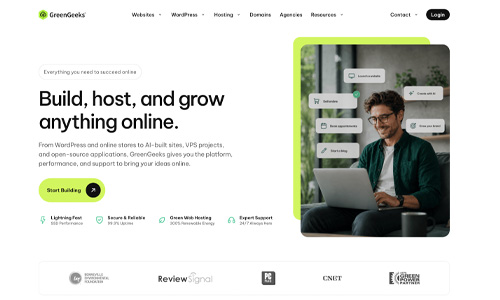
GreenGeeks combines an AI-assisted WordPress website builder with hosting, SSL, security, backups, SEO tools, and customer support. It is especially appealing to users who want an easier starting point while retaining access to WordPress themes, plugins, and long-term customization. The platform also emphasizes environmentally focused hosting, which may matter to sustainability-conscious businesses. WordPress offers room to grow, but it generally requires more maintenance and configuration than a fully managed closed builder, and renewal pricing should be reviewed.

GreenGeeks website screenshotWhy it deserves a closer look: The combination of AI-assisted setup, WordPress flexibility, support, and environmentally focused hosting gives it more long-term growth potential than a typical closed website builder.

Independent score
8.6/10
★★★★★★★★★★Trustpilot 4.6/5 · 1,709 reviews
Ease of use7.5/10Editorial score
Features & versatility9.1/10Editorial score
Visit GreenGeeks Official website
Read full reviewClose full review

Full GreenGeeks review

GreenGeeks provides more than a standalone design tool: the AI builder sits inside a hosting environment and produces a WordPress website that can be refined after generation. This gives users access to the broader WordPress ecosystem while keeping hosting, security, and support under one provider. Customer feedback is generally strong, particularly around support and reliability, although WordPress still introduces more maintenance and configuration than a fully closed builder. Renewal pricing, plugin compatibility, and the exact resources included in each plan should be checked before launch.

✓ Pros
  • WordPress flexibility and plugin access
  • AI builder included with hosting
  • Strong public rating and support feedback
  • Eco-focused hosting approach
− Cons
  • More maintenance than a closed builder
  • Renewal pricing requires attention
  • Plugins can add complexity and cost
Rank7

Flexible AI generation from text, screenshots, Figma, or a reference URL

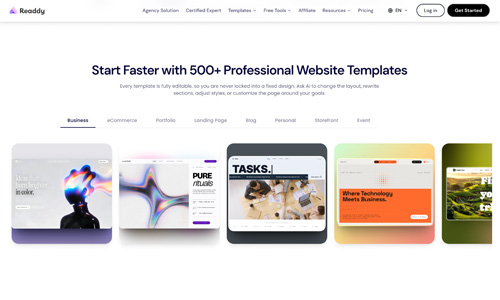
Readdy generates responsive websites from a text prompt, screenshot, Figma frame, image, template, or reference URL. It then combines AI-assisted revisions with a no-code visual editor, hosting, SSL, forms, databases, and integrations. This reference-based workflow is especially useful for designers and businesses that already have a visual direction and want to convert it into an editable site quickly. The public review sample remains relatively small, and advanced interactions, publishing options, exports, and custom-domain limits should be tested before launch.

Readdy website screenshotWhy it deserves a closer look: Despite a modest public rating, its ability to generate from screenshots, Figma, images, and reference websites gives designers a flexible and unusually visual starting point.

Independent score
8.6/10
★★★★★★★★★★Trustpilot 3.3/5 · 55 reviews
Ease of use8.8/10Editorial score
Features & versatility8.9/10Editorial score
Visit Readdy Official website
Read full reviewClose full review

Full Readdy review

Readdy stands out for the number of inputs it can use to establish a design direction. Users can begin with text, a screenshot, an image, a Figma frame, or an existing URL, then continue editing the generated site visually or through AI instructions. Built-in publishing, forms, databases, and integrations make it more capable than a simple mockup generator. Its public review base is still relatively small, and advanced interactions or data-driven projects need thorough testing before launch. Users should also confirm which publishing, export, and custom-domain features are included in their selected plan.

✓ Pros
  • Accepts several design-reference formats
  • No-code visual editor after generation
  • Built-in hosting, forms, and databases
  • Useful for fast client-site concepts
− Cons
  • Relatively small public review base
  • Advanced workflows require testing
  • Plan limits affect publishing and domains
Rank8

Affordable web infrastructure with an included prompt-driven builder

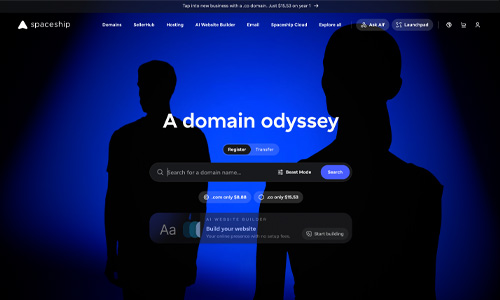
Spaceship combines domains, shared hosting, email, SSL, and an AI website builder inside one connected dashboard. It appeals to users who prioritize competitive infrastructure pricing and want to manage essential website services without maintaining several accounts. The streamlined workflow suits simple business, personal, and portfolio sites. However, the builder is newer and less mature than leading visual editors, so users needing precise layout control, advanced ecommerce, or specialized integrations should test it carefully before committing.

Spaceship website screenshotWhy it deserves a closer look: Although its builder is newer and less advanced than some competitors, its low starting cost and unified domain, hosting, email, and SSL dashboard make it a strong value option.

Independent score
8.5/10
★★★★★★★★★★Trustpilot 4.3/5 · 4,280 reviews
Ease of use8.6/10Editorial score
Features & versatility7.8/10Editorial score
Visit Spaceship Official website
Read full reviewClose full review

Full Spaceship review

Spaceship is primarily an integrated domain and hosting platform, with its AI website builder included in shared hosting plans. The connected dashboard can simplify domain, email, SSL, and hosting administration, especially for users managing several online services. Its Trustpilot feedback is broadly positive about price and the modern interface, but the website builder itself is newer and more prompt-driven than mature visual editors. Users who need detailed manual layout control, advanced ecommerce, or specialized integrations should test the builder carefully before moving a production site.

✓ Pros
  • Competitive domain and hosting pricing
  • Connected management dashboard
  • AI builder included with shared hosting
  • Strong overall public rating
− Cons
  • Visual editing is less mature
  • Prompt-driven changes may feel restrictive
  • Fewer advanced business features than major builders
Rank9

An established all-in-one provider with AI website creation

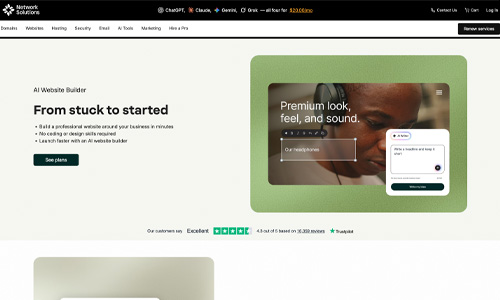
Network Solutions combines an AI-assisted website builder with drag-and-drop editing, hosting, domains, SSL, ecommerce, email, and marketing tools. It suits small businesses that prefer to manage their website and core online services through one established provider. The broad bundle can reduce setup friction for owners launching a company site, store, or professional presence. Its editor and AI features are less modern than some newer competitors, and users should closely review introductory pricing, renewals, add-ons, and migration flexibility.

Network Solutions website screenshotWhy it deserves a closer look: It may not lead every category, but its established domain services, large customer base, and broad small-business toolkit make it worth comparing for an all-in-one setup.

Independent score
8.4/10
★★★★★★★★★★Trustpilot 4.3/5 · 16,344 reviews
Ease of use8.7/10Editorial score
Features & versatility8.7/10Editorial score
Network Solutions Official website
Read full reviewClose full review

Full Network Solutions review

Network Solutions offers a beginner-oriented AI website builder backed by a broader package of domain registration, hosting, SSL, ecommerce, email, and marketing services. Users can begin with an AI-generated layout and continue refining pages through a drag-and-drop editor, making the platform suitable for small-business websites and straightforward online stores. Its large Trustpilot review base provides more customer-experience data than many builders in this comparison. Users should still compare introductory and renewal pricing, confirm the features included in each plan, and consider whether they need the portability or technical flexibility of a more open platform.

✓ Pros
  • AI-generated starting point with visual editing
  • Domains, hosting, SSL, and email available
  • Ecommerce and small-business tools
  • Large public customer review base
− Cons
  • Plan and renewal details require review
  • Less portable than an open platform
  • Advanced customization may be limited
Rank10

A WordPress-based AI builder with hosting, SEO, and room to expand

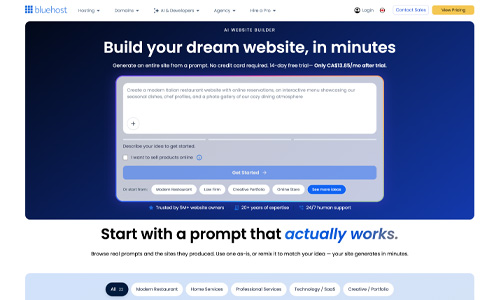
Bluehost uses AI to generate and refine a WordPress website while bundling hosting, SSL, security, backups, SEO tools, and customer support. It is a practical choice for beginners who want guided setup without giving up WordPress ownership, themes, plugins, or future portability. The workflow lowers the initial learning curve, while the dashboard supports blogging, ecommerce, and expansion. WordPress still requires more maintenance than a closed builder, and introductory prices, renewals, plugins, and plan limits deserve careful review.

Bluehost website screenshotWhy it deserves a closer look: Its AI guidance makes WordPress easier for beginners, while plugin access and site ownership provide a clear upgrade path as a business grows.

Independent score
8.2/10
★★★★★★★★★★Trustpilot 4.5/5 · 31,697 reviews
Ease of use7.5/10Editorial score
Features & versatility9.4/10Editorial score
Visit Bluehost Official website
Read full reviewClose full review

Full Bluehost review

Bluehost’s AI Website Builder is designed to move a user from a business description to a hosted WordPress site, with follow-up changes made through prompts or the underlying editor. Because the result is WordPress-based, users retain access to a large plugin ecosystem and can expand the site beyond the initial AI draft. The package is convenient for small businesses, bloggers, and service sites that also need a domain and hosting. The trade-offs are the usual WordPress learning curve, plan and renewal complexity, and customer experiences that can vary depending on the support or billing issue involved.

✓ Pros
  • WordPress ownership and plugin access
  • Prompt-based website editing
  • Hosting and security included
  • Very large customer review base
− Cons
  • Renewal pricing can be higher
  • More moving parts than a closed platform
  • Support experiences can vary

At-a-glance comparison

AI Website Builder Comparison: All 10 Platforms

Use this side-by-side AI website builder comparison to evaluate overall score, Trustpilot rating, starting price, ease of use, and features and versatility. The cards and table can be reordered to match the factors that matter most to you.

Builder Best for Starting price Ease of use Features & versatility Trustpilot Overall score Details
#1 Lovable Businesses and creators building custom websites with AI Free 9.2/10 9.6/10 4.1/5 9.3/10 Review
#2 Design.com Small businesses building a complete brand Free 8.5/10 8.4/10 4.7/5 9.1/10 Review
#3 Base44 No-code internal tools, portals, and early SaaS products Free 9.7/10 9.8/10 2.8/5 8.8/10 Review
#4 one.com Small businesses that want to build and manage a website through AI chat Free to try 9.4/10 9.3/10 4.4/5 8.6/10 Review
#5 Dorik Freelancers and small businesses wanting a flexible no-code AI website builder Free 8.8/10 8.0/10 3.8/5 8.6/10 Review
#6 GreenGeeks WordPress sites with eco-focused hosting $2.95/mo 7.5/10 9.1/10 4.6/5 8.6/10 Review
#7 Readdy Visual websites generated from prompts or design references Free to build 8.8/10 8.9/10 3.3/5 8.6/10 Review
#8 Spaceship Domains, hosting, and simple AI-built sites in one dashboard $1.66/mo 8.6/10 7.8/10 4.3/5 8.5/10 Review
#9 Network Solutions Small businesses needing domains, hosting, and an AI-built site $4.99/mo 8.7/10 8.7/10 4.3/5 8.4/10 Review
#10 Bluehost WordPress beginners who want AI setup and hosting Free to try; $9.99/mo annually 7.5/10 9.4/10 4.5/5 8.2/10 Review

Choosing the right platform

How to Choose the Best Website Builder With AI

Your best option depends on the type of site you are building, how much control you need, and the features required after launch.

01

Small business and ease of use

The best AI website builder for small business should make setup, branding, domains, hosting, and everyday edits simple. If ease is your priority, compare the editorial ease-of-use scores to identify the easiest AI website builder for your workflow.

02

Ecommerce and business features

The best AI website builder for ecommerce should support products, payments, inventory, shipping, promotions, analytics, and the transaction limits your store needs. Also confirm support for bookings, forms, memberships, integrations, or multilingual content where relevant.

03

No-code control, portability, and cost

The best no code AI website builder should let you make meaningful changes without programming while still offering enough control as your site grows. Check custom domains, SEO fields, export options, renewal pricing, AI credits, transaction fees, storage, bandwidth, and support before subscribing.

Frequently asked questions

AI website builder FAQ

What is the best AI website builder in 2026?

There is no universal winner. Lovable ranks first in this 2026 comparison because it has the highest independent overall score across ease of use, features and versatility, Trustpilot, and price. The best AI website builder for you can still depend on the type of site you are building and the features you need.

What is the best AI website builder for small business?

Design.com ranks second overall and is especially well suited to small businesses that want website creation and branding tools in one place. Dorik is another strong option for businesses and freelancers that want AI site generation, a no-code editor, CMS tools, SEO controls, and a free way to get started.

What is the best AI website builder for ecommerce?

For ecommerce, compare the store features and transaction requirements you actually need. one.com and Network Solutions are worth comparing for bundled business services, while Base44 can be useful when a more customized no-code workflow is required.

What is the best no-code AI website builder?

Base44 has the highest editorial ease-of-use and features-and-versatility scores in this comparison and is designed for no-code applications, portals, and more advanced workflows, although its lower Trustpilot rating reduces its overall rank. Dorik is a more conventional no-code website builder with AI site generation, CMS tools, and code export on paid plans.

What is the easiest AI website builder?

Base44 has the highest editorial ease-of-use score on this page at 9.7/10. For a more conventional business website, one.com scores 9.4/10, Lovable scores 9.2/10, and Design.com scores 8.5/10.

How should I use AI website builder reviews when comparing platforms?

Use AI website builder reviews as one input rather than the only deciding factor. Compare the editor, required features, pricing after renewal, portability, support, public customer ratings, and whether the platform fits your specific website or store workflow.

Data disclosure: Trustpilot scores, displayed review counts and listed US-dollar prices were checked on September 21, 2026 and may change by location, billing term or promotion. Network Solutions does not show a numeric price on its public product page; its $4.99/mo introductory and $15.99/mo renewal figures come from its company-published pricing guides, and live checkout could not be confirmed. Dorik describes a free tier on product pages, while its pricing page currently highlights a 7-day trial and paid Personal plan; confirm the free tier in your account. The independent overall score gives equal 25% weight to ease of use, features and versatility, Trustpilot, and price. Trustpilot ratings are converted from 5 points to 10, while the price score normally starts at 10 and deducts one point for every $2 per month in the displayed starting price. Free-trial access may receive an editorial adjustment; one.com and Bluehost each receive 7/10 for price because they include a 14-day free trial before a paid website plan. Readdy’s free tier includes no hosted site. “Free” may include platform limits or branding. Introductory prices can require annual or multi-year prepayment and may renew at a higher rate. Ease-of-use and features-and-versatility scores are editorial estimates.