
Independent comparison · Some links are affiliate links

Trustpilot and pricing data checked August 27, 2026

Beginner-friendly AI website builders in 2026

Easiest AI Website Builder for Beginners: 4 Top Picks

The easiest AI website builder for beginners should help you generate a site, edit it without code, and understand what it takes to publish. We selected four tools from our wider comparison for different first-site goals: one.com, Design.com, Dorik, and Lovable. Compare their workflows, practical trade-offs, and dated editorial scores below.

  • Four beginner-focused picks
  • Simple setup and editing
  • Clear publishing trade-offs
1
Beginner selection

We prioritized simple site creation, everyday editing, and a clear path to publishing.

2
Editorial scores are context

The original overall score weighs ease, features, Trustpilot, and price equally; it does not determine this beginner order.

3
Choose for your first site

A basic business site, matching brand, content site, and custom interactive site call for different tools.

Quick picks for your first website

4 Easiest AI Website Builders for Beginners in 2026

Start with one.com for an AI chat workflow, Design.com for a site and matching brand, Dorik for a visual editor and content tools, or Lovable for a more custom website. Open each review for its strengths, limits, and publishing details.

Showing beginner picks.

#1 for beginners
Rank1

one.com

Conversational AI website building with hosting and business tools included

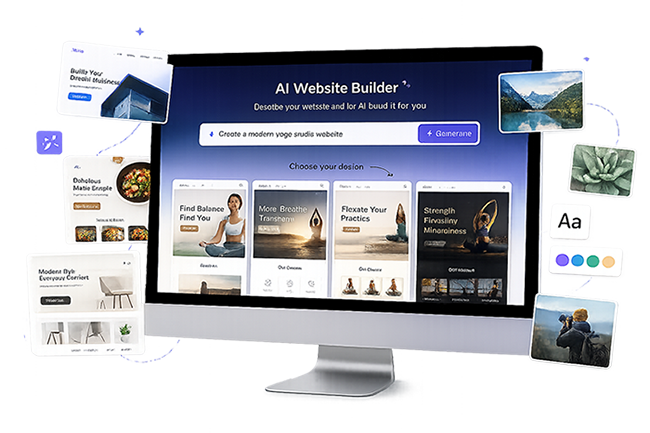
one.com’s Aida AI Website Builder creates complete business websites through a chat-based workflow rather than a traditional template-first process. Users can generate pages, edit content, redesign an existing site, and manage features through conversation. Hosting, a first-year domain, professional email, SSL, booking tools, and ecommerce options are available within the same platform. The experience is approachable for non-technical owners, although the product is newer and its entry price is higher than several budget competitors.
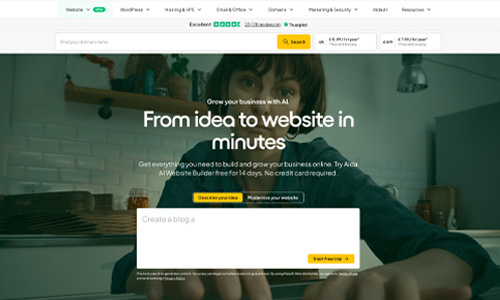
one.com website screenshotWhy it deserves a closer look: Aida lets users build, redesign, and manage a business website through conversation while keeping hosting, domain, email, bookings, ecommerce, and human support under one provider.

Independent score
8.6/10
★★★★★★★★★★Trustpilot 4.4/5 · 24,946 reviews
Ease of use9.4/10Editorial score
Features & versatility9.3/10Editorial score
Visit one.com ↗Official website
Read full reviewClose full review⌄

Full one.com review

one.com’s Aida AI Website Builder focuses on conversational website creation for non-technical business owners. A user can describe a business, generate a complete site, refine the design and text through chat, or provide an existing URL for an AI-assisted redesign. The platform also brings hosting, a domain, professional email, SSL, bookings, ecommerce, and 24/7 human support into the same environment. That all-in-one approach reduces setup friction, but Aida is still a newer product, pricing varies by region, and users who need extensive developer controls or a large third-party app ecosystem may prefer a more open platform.

✓ Pros
  • Build and edit a website through AI chat
  • Hosting, domain, email, and SSL are integrated
  • Booking and ecommerce options are available
  • Large Trustpilot review base and 24/7 support
− Cons
  • Newer AI builder with a shorter product track record
  • Entry price is higher than some budget competitors
  • Less developer-oriented than open platforms
Rank2

Design.com

AI website creation connected to a full branding suite

Design.com combines prompt-based website generation with a large template library, built-in hosting, custom domains, and tools for logos, social graphics, and other marketing assets. It is a strong choice for small businesses that want to create a website and coordinated visual identity in one place. Users can quickly establish consistent colors, fonts, and branding across their materials. The main appeal is convenience, although complex applications and highly customized development may require a more advanced platform.

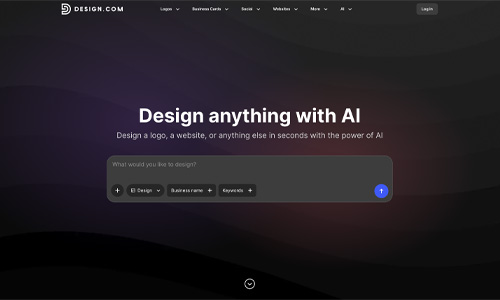
Design.com website screenshotWhy it deserves a closer look: Its strongest advantage is the ability to build a website and a coordinated brand identity in one workflow, which can save small businesses considerable setup time.

Independent score
9.1/10
★★★★★★★★★★Trustpilot 4.7/5 · 4,489 reviews
Ease of use8.5/10Editorial score
Features & versatility8.4/10Editorial score
Visit Design.com ↗Official website
Read full reviewClose full review⌄

Full Design.com review

Design.com is a strong fit when the website is only one part of a broader branding project. The AI builder can generate a responsive starting point quickly, and users can then adjust fonts, colors, layouts, spacing, and visual elements in the editor. Its template library and matching brand tools make it practical for small companies, portfolios, and service businesses that need a consistent look. It is less compelling for complex applications or highly customized development workflows, and users should review premium asset and subscription terms before committing.

✓ Pros
  • AI website and branding tools together
  • Large design and template library
  • Built-in hosting and custom-domain support
  • Approachable editor for beginners
− Cons
  • Not intended for complex web applications
  • Advanced code-level control is limited
  • Pricing can vary across premium assets
Rank3

Dorik

No-code AI website generation with CMS, SEO controls, and code export

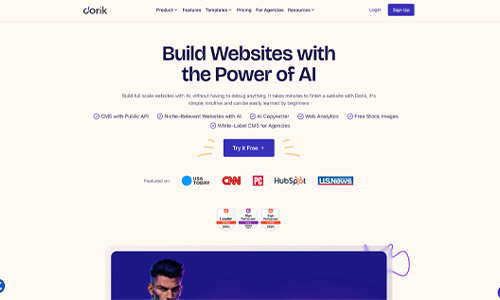
Dorik combines AI website generation with a visual no-code editor, responsive templates, CMS collections, blogging tools, SEO controls, custom domains, and hosting. It is a practical choice for freelancers, creators, and small businesses that want to launch a polished site without coding while keeping useful content-management options. A free plan makes it easy to test the platform, while paid plans add advanced AI features, custom code, and code export. Its public Trustpilot sample is currently very small, so that rating should be interpreted cautiously.

Dorik website screenshotWhy it deserves a closer look: Dorik offers a straightforward AI-assisted site builder with strong no-code controls, CMS features, SEO settings, and a free entry point for testing the platform before upgrading.

Independent score
8.6/10
★★★★★★★★★★Trustpilot 3.8/5 · 2 reviews
Ease of use8.8/10Editorial score
Features & versatility8.0/10Editorial score
Visit Dorik ↗Official website
Read full reviewClose full review⌄

Full Dorik review

Dorik focuses on fast website creation without requiring code. Its AI site generator can create a starting point from a prompt, while the visual builder lets users refine layouts, typography, sections, and content manually. The platform also includes blogging and CMS tools, SEO controls, hosting, custom-domain support, forms, and integrations. Paid plans expand the AI toolkit and add options such as custom code and code export, which can make Dorik appealing to freelancers and agencies that want more flexibility than a basic closed website builder. The main limitation for this ranking is the very small number of public Trustpilot reviews, which makes its customer-rating signal less representative than platforms with larger review volumes.

✓ Pros
  • AI-assisted website generation
  • Visual no-code editor with CMS and blogging tools
  • Free plan available for testing and simple sites
  • Code export available on paid plans
− Cons
  • Very small public Trustpilot review sample
  • Some advanced AI and code features require a paid plan
  • Less suited to complex application workflows than app-focused AI builders
Rank4

Lovable

Conversational AI website building with editable code and simple publishing

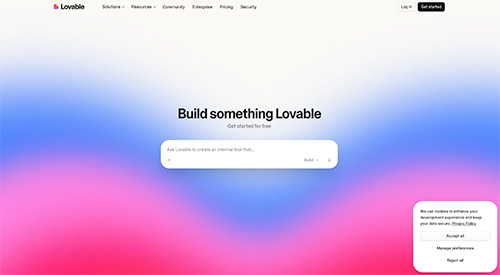
Lovable lets users describe a website in natural language and generates a working starting point that can be refined through follow-up prompts. It is well suited to users who want to create polished websites and interactive site experiences without starting from code. Projects remain editable, can synchronize with GitHub, and include built-in deployment for faster publishing. Optional database, authentication, and integration tools are available when a website needs more advanced functionality, but they do not need to be the focus of a standard site build. Credit usage can still be difficult to predict.

Lovable website screenshotWhy it deserves a closer look: Its conversational website workflow, editable code, GitHub synchronization, and built-in publishing provide more control than a typical closed builder while keeping the initial site-creation process approachable.

Independent score
9.3/10
★★★★★★★★★★Trustpilot 4.1/5 · 1,559 reviews
Ease of use9.2/10Editorial score
Features & versatility9.6/10Editorial score
Visit Lovable ↗Official website
Read full reviewClose full review⌄

Full Lovable review

Lovable works well as a conversational website builder for users who want more freedom than a traditional template-based platform. A user can describe a website in plain language, generate a working version, and continue refining its interface and functionality through follow-up instructions. Built-in deployment supports quick publishing, while editable code and GitHub synchronization provide a path to deeper customization. Database, authentication, and integration tools remain available when a website requires more advanced features, but they are optional for simpler projects. The main limitations are its credit-based usage model, the need to test complex generated functionality carefully, and the fact that custom domains require a paid plan.

✓ Pros
  • Builds websites from natural-language prompts
  • Editable code with GitHub synchronization
  • Built-in publishing with optional advanced tools
  • Free plan for testing and early projects
− Cons
  • Credit usage can be difficult to predict
  • Complex website features still require careful testing
  • Custom domains require a paid plan

At-a-glance comparison

Compare the 4 Easiest AI Website Builders

Compare the four picks by ease of use, features, public reviews, and the original overall score. The default order reflects beginner fit; use the menu above to sort by a particular metric.

Builder Best for Starting price Ease of use Features & versatility Trustpilot Overall score Details
#1 one.com Small businesses that want to build and manage a website through AI chat Free to try 9.4/10 9.3/10 4.4/5 8.6/10 Review
#2 Design.com Small businesses building a complete brand Free 8.5/10 8.4/10 4.7/5 9.1/10 Review
#3 Dorik Freelancers and small businesses wanting a flexible no-code AI website builder Free 8.8/10 8.0/10 3.8/5 8.6/10 Review
#4 Lovable Businesses and creators building custom websites with AI Free 9.2/10 9.6/10 4.1/5 9.3/10 Review

Choosing the right platform

How to Choose an Easy AI Website Builder

Try the actual editing workflow before paying. A fast AI-generated draft is useful only if you can change the result and publish it with confidence.

01

Start with your site goal

A straightforward business website with hosting and support points to one.com. If you also need a matching logo and brand graphics, explore Design.com.

02

Test how you make changes

Dorik suits people who prefer visual editing, blogging, and content management. Lovable suits people who want to describe custom changes in prompts and are willing to review the generated result carefully.

03

Check publishing costs

Before choosing, check the custom-domain rules, paid-plan limits, renewal price, AI credits, and whether you can move your content later. Free creation does not always mean free publishing.

Frequently asked questions

Easiest AI Website Builder for Beginners: FAQ

What is the easiest AI website builder for beginners?

one.com is our first pick for a straightforward business website because Aida generates and revises a site through conversation and includes a path to hosting and publishing. Design.com is especially simple when you also need brand assets.

Can a beginner build an AI website without coding?

Yes. All four picks can generate a starting website from a description. one.com and Lovable support prompt-led changes, while Design.com and Dorik offer visual editing tools. Review the text, mobile layout, forms, and links before publishing.

Which beginner AI website builder is best for a free start?

Design.com, Dorik, and Lovable provide ways to start for free, while one.com offers a free trial. Free plans differ in publishing, domains, branding, and AI usage, so check the current terms before choosing.

Why is Base44 not in these four picks?

Base44 had the highest ease-of-use score in the broader comparison, but it is oriented toward custom applications and more advanced workflows. These four were selected for common first-website tasks; the beginner order is a separate editorial judgment.

Data note: The overall, ease, feature, Trustpilot, and price figures shown in the cards were carried over from the August 27, 2026 comparison and may have changed. Ease and feature scores are editorial estimates; the original overall score weighs ease, features, Trustpilot, and price equally. Our four beginner picks use a separate judgment about first-site setup, editing, and publishing. Confirm current plans and limits with each provider.Data disclosure: Trustpilot scores, exact displayed review counts, and starting prices were checked on August 27, 2026 and may change. The independent overall score gives equal 25% weight to ease of use, features and versatility, Trustpilot, and price. Trustpilot ratings are converted from 5 points to 10, while the price score normally starts at 10 and deducts one point for every $2 per month in the displayed starting price. Free-trial access may receive an editorial adjustment; one.com receives 7/10 for price because it includes a 14-day free trial before its paid Aida plan. “Free” may include platform limits or branding. Introductory prices can require annual or multi-year prepayment and may renew at a higher rate. Ease-of-use and features-and-versatility scores are editorial estimates.

Product guides: one.com Aida · Design.com · Dorik AI · Lovable