
Independent comparison · Rankings are not paid placement · Some links are affiliate links

Trustpilot data checked July 21, 2026

2026 comparison guide

Top 10 AI Website Builders

Compare ten leading AI website and app builders using public Trustpilot ratings, review volume, product capabilities, and clear pros and cons. Open any ranking card to read the full review.

  • No hidden editorial score
  • Expandable full reviews
  • Official website links
1
Trustpilot rating first

Builders are ordered from the highest displayed rating to the lowest.

2
Review volume breaks ties

When ratings match, the builder with more public reviews receives the higher position.

3
Fit still matters

A lower-ranked platform may be better for a specialized workflow or application.

Ranked best first

AI website builder reviews

Each score out of 10 is the Trustpilot rating multiplied by two. Select “Read full review” for detailed advantages, limitations, and ideal use cases.

#1 ranked
Rank1
D

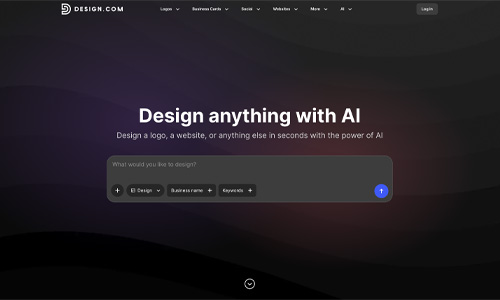
Design.com

Best for: Brand-first small businesses

A fast AI website builder backed by a broad branding toolkit

Design.com combines AI website creation with logos, brand assets, business cards, social graphics, and other visual tools. It is a practical choice for small businesses that want a coordinated identity and website from one platform.

Excellent
9.4/10
★★★★★★★★★★Trustpilot 4.7/5 · 4,300+ reviews
Visit Design.com Official website
Read full reviewClose full review

Full Design.com review

Design.com is strongest when website creation is part of a wider branding project. Its AI workflow can produce a starting website quickly, while the broader platform helps users create logos and supporting marketing materials. The experience is approachable for beginners and suitable for portfolios, service businesses, and straightforward company sites. Advanced developers may find the editor less flexible than code-oriented platforms, and generated copy and imagery should still be reviewed carefully before publishing.

✓ Pros
  • Website and branding tools in one account
  • Fast AI-assisted setup
  • Beginner-friendly editing
  • Strong public customer rating
− Cons
  • Less suitable for complex web applications
  • Advanced customization is more limited
  • AI-generated content still needs editing
#2 ranked
Rank2
D

Durable

Best for: Local service businesses and solo operators

One of the fastest ways to launch a simple business website

Durable generates a business website from a few prompts and adds practical tools for leads, customer management, bookings, and marketing. It is designed for owners who value speed and simplicity over granular design control.

Excellent
9.4/10
★★★★★★★★★★Trustpilot 4.7/5 · 309 reviews
Visit Durable Official website
Read full reviewClose full review

Full Durable review

Durable is designed for owners who want to get online quickly rather than spend days adjusting every design detail. Its AI workflow creates a starting site from basic business information, then lets the user refine copy, sections, images, and branding. The wider business suite can be useful for solo operators because website management, customer leads, and marketing tools can live in one account. The main trade-off is reduced design depth for complex stores, editorial sites, custom databases, and highly bespoke layouts.

✓ Pros
  • Very fast AI-generated setup
  • Useful tools for service businesses
  • Simple editing experience
  • Strong customer rating
− Cons
  • Less design freedom than advanced editors
  • Not ideal for complex stores or web apps
  • Generated copy still needs human editing
#3 ranked
Rank3
10

10Web

Best for: WordPress users and agencies

AI website generation with the flexibility of WordPress

10Web generates WordPress websites with AI and combines visual editing, managed hosting, and performance tools. It is a strong fit for agencies and businesses that want more extensibility than a closed website builder.

Excellent
9.0/10
★★★★★★★★★★Trustpilot 4.5/5 · 2,300+ reviews
Visit 10Web Official website
Read full reviewClose full review

Full 10Web review

10Web is a compelling option for users who want AI speed without leaving the WordPress ecosystem. It can generate a new site, recreate an existing design, provide managed hosting, and offer visual editing for ongoing changes. This makes it useful for agencies, freelancers, and businesses that value plugins and content portability. The platform has more moving parts than a simple hosted builder, so users should review plan limits, AI credits, plugin compatibility, and the underlying WordPress workflow before committing.

✓ Pros
  • AI-generated WordPress websites
  • Managed hosting and performance tools
  • Good fit for agencies and repeat projects
  • Broad plugin flexibility
− Cons
  • More complex than beginner-only builders
  • Credits and plan limits require attention
  • WordPress troubleshooting may be necessary
Rank4
1

One.com

Best for: Beginners wanting an all-in-one website package

AI creation, hosting, domain, email, and support together

One.com pairs its AI-assisted website builder with hosting, domains, email, support, and optional ecommerce tools. It appeals to beginners and small businesses that prefer one provider for site creation and ongoing services.

Great
8.6/10
★★★★★★★★★★Trustpilot 4.3/5 · 25,000+ reviews
Visit One.com Official website
Read full reviewClose full review

Full One.com review

One.com is designed for people who want to launch a professional site without managing separate design, domain, hosting, and email providers. Its AI builder creates a starting point through a guided process, while the editor allows users to adjust text, styling, images, pages, and sections. Depending on the plan, customers can also access blogging, SEO tools, backups, integrations, and online selling. The main trade-offs are reduced design freedom compared with advanced professional tools, plan-dependent feature limits, and the inconvenience of moving away from an all-in-one hosted ecosystem.

✓ Pros
  • Website, hosting, domain, and email together
  • Large volume of customer feedback
  • Beginner-friendly setup
  • Optional ecommerce features
− Cons
  • Less design freedom than advanced tools
  • Important features vary by plan
  • Migration can be less convenient
Rank5
L

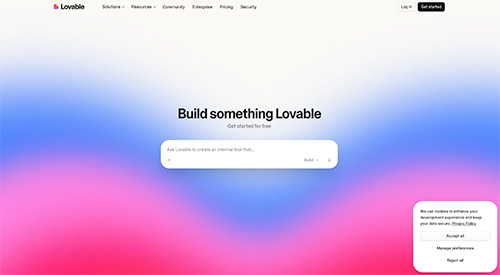
Lovable

Best for: Rapid prototypes and app-style websites

Prompt-driven development for interactive web products

Lovable turns natural-language requests into working web interfaces and application prototypes. It is more code- and product-oriented than a traditional drag-and-drop website builder.

Good
7.8/10
★★★★★★★★★★Trustpilot 3.9/5 · Trustpilot reviews
Visit Lovable Official website
Read full reviewClose full review

Full Lovable review

Lovable is aimed at users who want to create interactive products rather than only brochure-style websites. It can translate prompts into front-end experiences, connect project services, and support an iterative build process. This is valuable for prototypes, dashboards, portals, and early software products. Results still need testing, responsive checks, accessibility review, and careful management of generated code. Nontechnical users may also encounter a steeper learning curve once a project requires debugging or custom integrations.

✓ Pros
  • Fast route from idea to prototype
  • Suitable for interactive web products
  • Iterative prompt-based workflow
  • Useful for founders and product teams
− Cons
  • Generated applications require testing
  • Debugging may require technical knowledge
  • Usage limits can affect complex projects
Rank6
W

Wix

Best for: Most small-business website types

A broad business ecosystem with an accessible AI setup

Wix combines AI-assisted site generation with a mature editor, templates, ecommerce, bookings, marketing tools, and a large app marketplace. It covers many common small-business use cases.

Good
7.0/10
★★★★★★★★★★Trustpilot 3.5/5 · Trustpilot reviews
Visit Wix Official website
Read full reviewClose full review

Full Wix review

Wix remains one of the broadest all-in-one website platforms in this comparison. The AI setup can produce an initial structure, while the main editor provides extensive control over pages, sections, branding, and business features. It can support stores, restaurants, appointments, events, portfolios, and service companies. The trade-offs include a busy interface, plan complexity, app-related costs, and limited portability compared with open platforms. Customer feedback also varies considerably depending on billing, support, and cancellation experiences.

✓ Pros
  • Large feature and template ecosystem
  • Strong small-business tools
  • Flexible visual editing
  • Broad app marketplace
− Cons
  • Pricing and plan choices can be complex
  • Additional apps can increase cost
  • Limited site portability
Rank7
J

Jimdo

Best for: Independent professionals and simple sites

A guided website builder focused on straightforward business needs

Jimdo uses a guided setup to help independent professionals create simple websites and online stores. It emphasizes ease of use, legal-page support in some markets, and low-maintenance editing.

Average
6.6/10
★★★★★★★★★★Trustpilot 3.3/5 · Trustpilot reviews
Visit Jimdo Official website
Read full reviewClose full review

Full Jimdo review

Jimdo is best suited to users who want a straightforward website rather than an elaborate design system. Its guided process can help freelancers and small businesses create basic pages, portfolios, and compact online stores. The platform is relatively easy to maintain and has a strong presence in European markets. Its limitations become clearer for advanced SEO, custom layouts, complex ecommerce, integrations, and larger content projects. Users should verify which features are available in their country and selected plan.

✓ Pros
  • Simple guided setup
  • Good for compact business websites
  • Low-maintenance editing
  • Useful European-market features
− Cons
  • Limited advanced customization
  • Not ideal for large stores or content sites
  • Feature availability can vary by market
Rank8
S

Squarespace

Best for: Portfolios and polished brand sites

Polished templates with AI-assisted content and setup tools

Squarespace is known for refined visual design, portfolios, blogging, ecommerce, and service-business features. Its AI tools can accelerate copy and site setup while the platform maintains a consistent visual system.

Average
6.6/10
★★★★★★★★★★Trustpilot 3.3/5 · Trustpilot reviews
Visit Squarespace Official website
Read full reviewClose full review

Full Squarespace review

Squarespace is a strong choice for users who prioritize polished presentation and a cohesive visual identity. It works particularly well for portfolios, photographers, consultants, restaurants, creators, and compact online stores. AI-assisted writing and setup tools can speed up the first draft, but the platform’s main value remains its templates and design system. Some users find the editor less free-form than Wix, while advanced integrations, multilingual workflows, and complex stores may require workarounds or third-party services.

✓ Pros
  • High-quality visual templates
  • Strong portfolios and content presentation
  • Integrated commerce and scheduling options
  • Consistent design system
− Cons
  • Less free-form than some competitors
  • Advanced workflows can require workarounds
  • Customer-service feedback is mixed
Rank9
E

Emergent

Best for: Conversational full-stack development

An ambitious AI development workflow for complex application ideas

Emergent focuses on generating full-stack web and mobile applications through conversation. It offers more technical scope than a conventional website builder but also requires careful testing and iteration.

Average
6.0/10
★★★★★★★★★★Trustpilot 3.0/5 · Trustpilot reviews
Visit Emergent Official website
Read full reviewClose full review

Full Emergent review

Emergent is oriented toward building functional software rather than only static marketing pages. The platform can help users plan, generate, and deploy application components through an AI-guided workflow. This can be useful for prototypes and complex product ideas, especially when a user wants more than a standard template site. Agent-generated software still needs careful testing, and complex tasks can consume substantial credits. Customer feedback is divided, with praise for speed alongside complaints about reliability, billing, and the effort required to correct unsuccessful generations.

✓ Pros
  • Builds application-style projects
  • End-to-end conversational workflow
  • Useful for prototypes and complex ideas
  • Deployment is integrated
− Cons
  • More complex than simple website builders
  • Generated apps require careful testing
  • Mixed public customer feedback
Rank10
B44

Base44

Best for: No-code internal tools and portals

Fast full-stack generation with sharply divided customer feedback

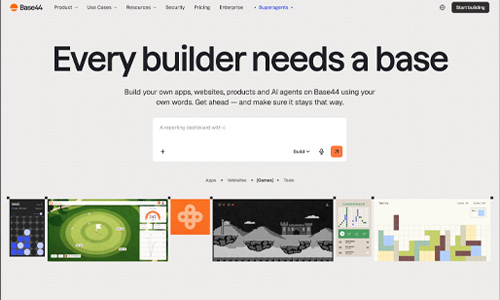
Base44 can generate applications with hosting, data storage, authentication, analytics, payments, and integrations. It offers substantial capability, but its public customer rating places it last in this Trustpilot-based order.

Average
5.8/10
★★★★★★★★★★Trustpilot 2.9/5 · 790 reviews
Visit Base44 Official website
Read full reviewClose full review

Full Base44 review

Base44 is not limited to static websites. Its main strength is generating functional applications with a backend, database, user authentication, integrations, and deployment already connected. This can reduce setup work for internal tools, customer portals, dashboards, and early product versions. Reviews include enthusiastic reports about rapid development, but also recurring concerns about credit use, support, reliability, data handling, and projects that become difficult to repair after repeated AI changes.

✓ Pros
  • Built-in backend and database
  • Authentication, hosting, and integrations
  • Fast route to internal tools and portals
  • Free testing options may be available
− Cons
  • Low and polarized customer rating
  • AI changes can introduce difficult bugs
  • Credit use can become costly during refinement

At-a-glance comparison

Compare all ten builders

The table follows the same Trustpilot-based order as the detailed reviews.

Builder Best for Trustpilot Score Details
#1 Design.com Brand-first small businesses 4.7/5 9.4/10 Review
#2 Durable Local service businesses and solo operators 4.7/5 9.4/10 Review
#3 10Web WordPress users and agencies 4.5/5 9.0/10 Review
#4 One.com Beginners wanting an all-in-one website package 4.3/5 8.6/10 Review
#5 Lovable Rapid prototypes and app-style websites 3.9/5 7.8/10 Review
#6 Wix Most small-business website types 3.5/5 7.0/10 Review
#7 Jimdo Independent professionals and simple sites 3.3/5 6.6/10 Review
#8 Squarespace Portfolios and polished brand sites 3.3/5 6.6/10 Review
#9 Emergent Conversational full-stack development 3.0/5 6.0/10 Review
#10 Base44 No-code internal tools and portals 2.9/5 5.8/10 Review

Choosing the right platform

What to check before you subscribe

01

Control and portability

Check whether you can export content or code, connect a custom domain, manage redirects, edit SEO fields, and move the project later.

02

Real business features

Confirm the plan supports the store, bookings, memberships, forms, integrations, databases, or multilingual content you need.

03

Costs after launch

Review renewal pricing, AI credits, transaction fees, premium apps, collaborator seats, storage, bandwidth, and support levels.

Frequently asked questions

AI website builder FAQ

What is the best AI website builder?

There is no universal winner. Design.com and Durable lead this Trustpilot-based list. 10Web is a strong WordPress option, and One.com combines AI creation with hosting and domain services.

Are Trustpilot ratings enough to choose a builder?

No. Ratings are useful indicators of customer experience, but you should also test the editor, examine plan limits, review portability, and confirm required features.

Rating disclosure: Trustpilot scores and approximate review counts were checked on July 21, 2026 and may change. Product features, pricing, and availability can also change.